Open sourceMIT

Managed file transfers, scheduled and watched.

GoMFT is a web-based managed file transfer application built with Go, leveraging rclone. Connect 30+ storage providers, schedule jobs with cron, and follow every run from one dashboard.

Go · rclone · Docker · SQLite

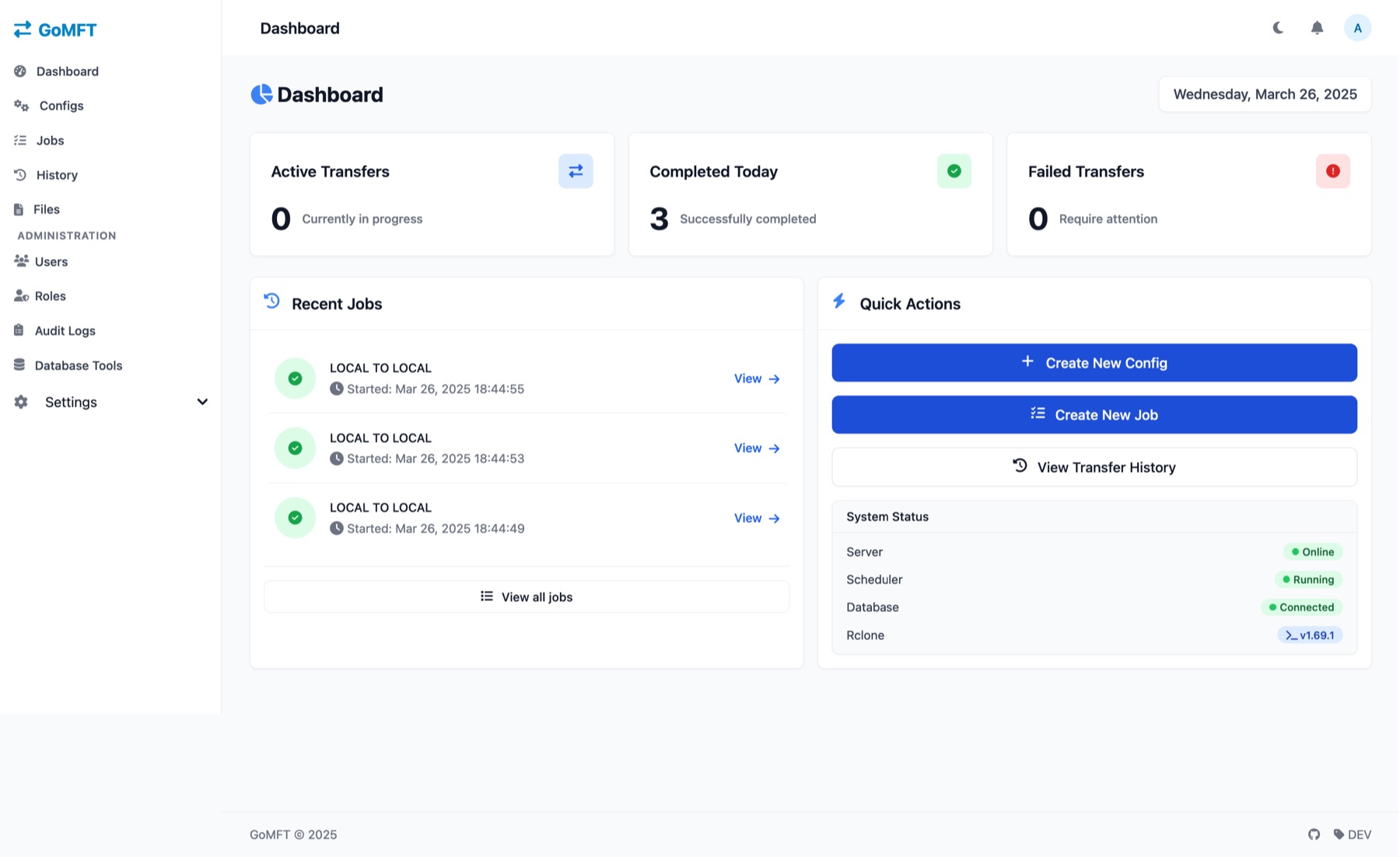
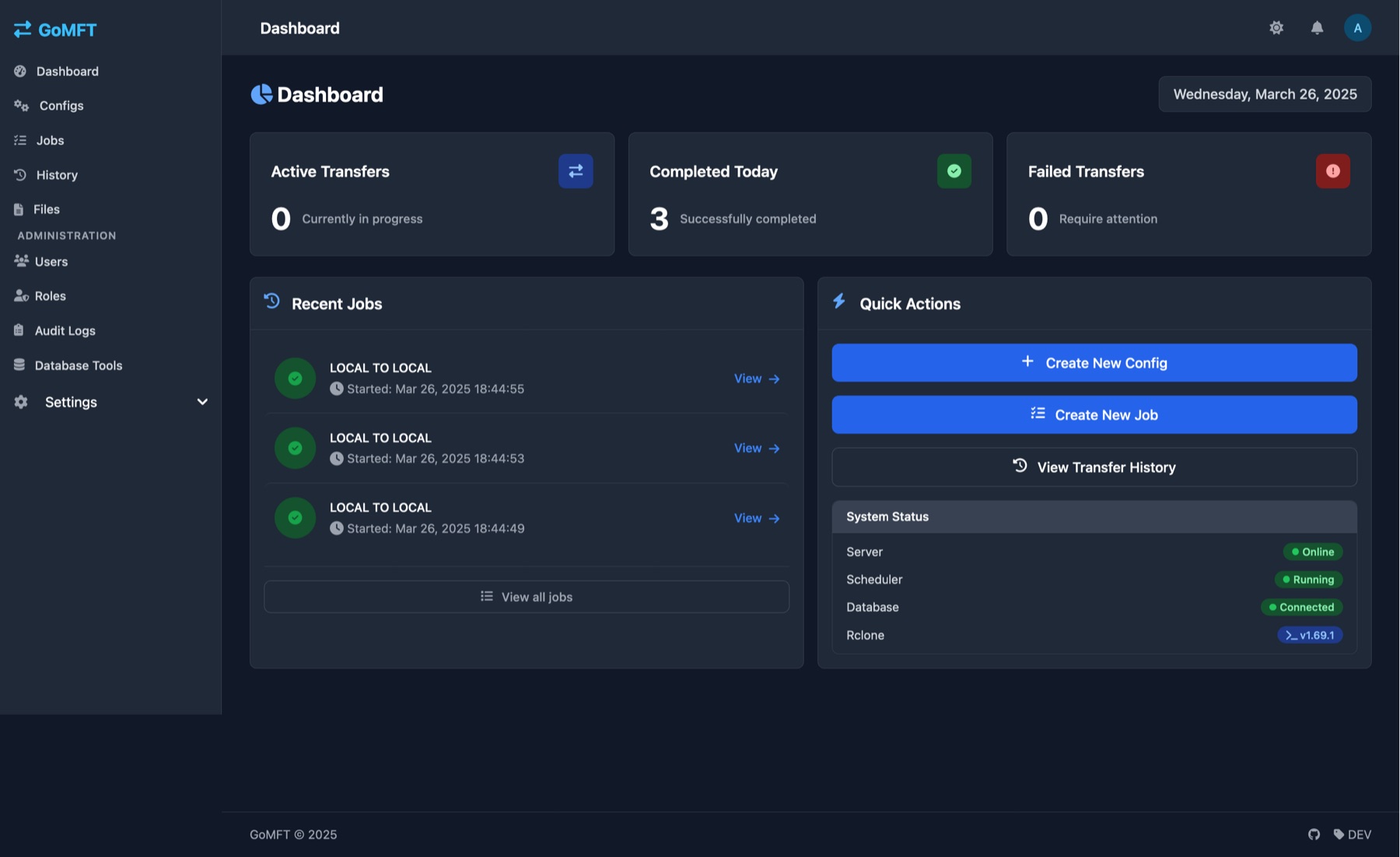
GoMFT dashboard in light mode: counters for active, completed and failed transfers, a list of recent jobs, quick actions and a system status panel showing server, scheduler, database and rclone version. The same GoMFT dashboard in dark mode.

Screenshots on this page show a demo install with sample data.

Move files between 30+ storage providers through rclone, including

  • Google Drive
  • S3
  • MinIO
  • NextCloud
  • WebDAV
  • SFTP
  • FTP
  • SMB
  • and more

Features

Everything a transfer job needs

Six areas of the real GoMFT interface. Click any screenshot to enlarge it.

Scheduled jobs

Set it up once, let cron run it

Create a transfer configuration for a source and a destination, then attach a job with a cron schedule. A visual schedule builder helps you write the expression, and Run Now starts a job on demand.

  • Cron scheduling with a visual schedule builder
  • 1 to 32 concurrent threads per job
  • File pattern matching, output names with date variables, and archiving of transferred files
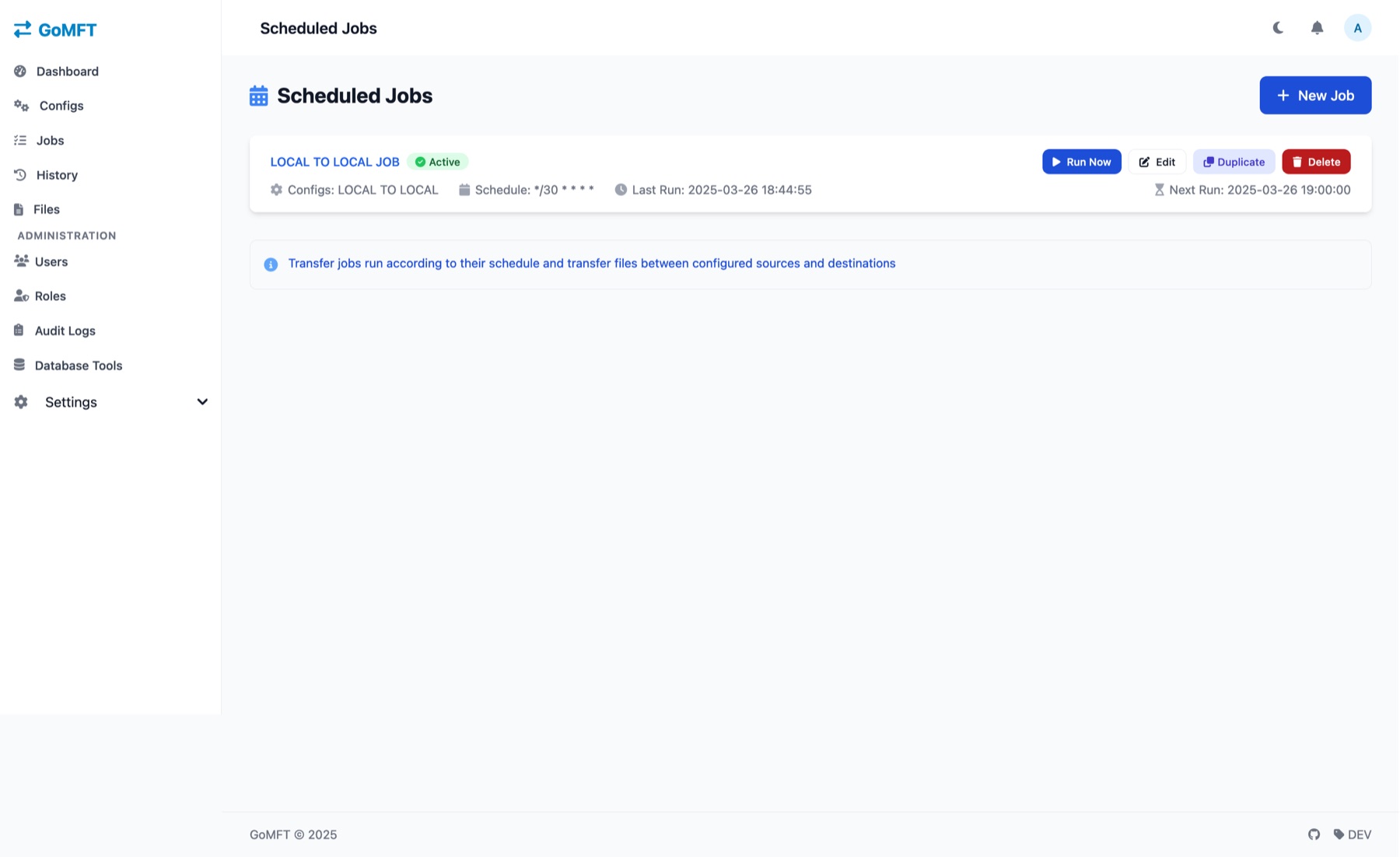
GoMFT Scheduled Jobs page with one Active job, its cron schedule, last and next run times, and Run Now, Edit, Duplicate and Delete buttons.
Scheduled jobs. A job marked Active with schedule */30 * * * *, its last run and next run, and Run Now, Edit, Duplicate and Delete buttons.
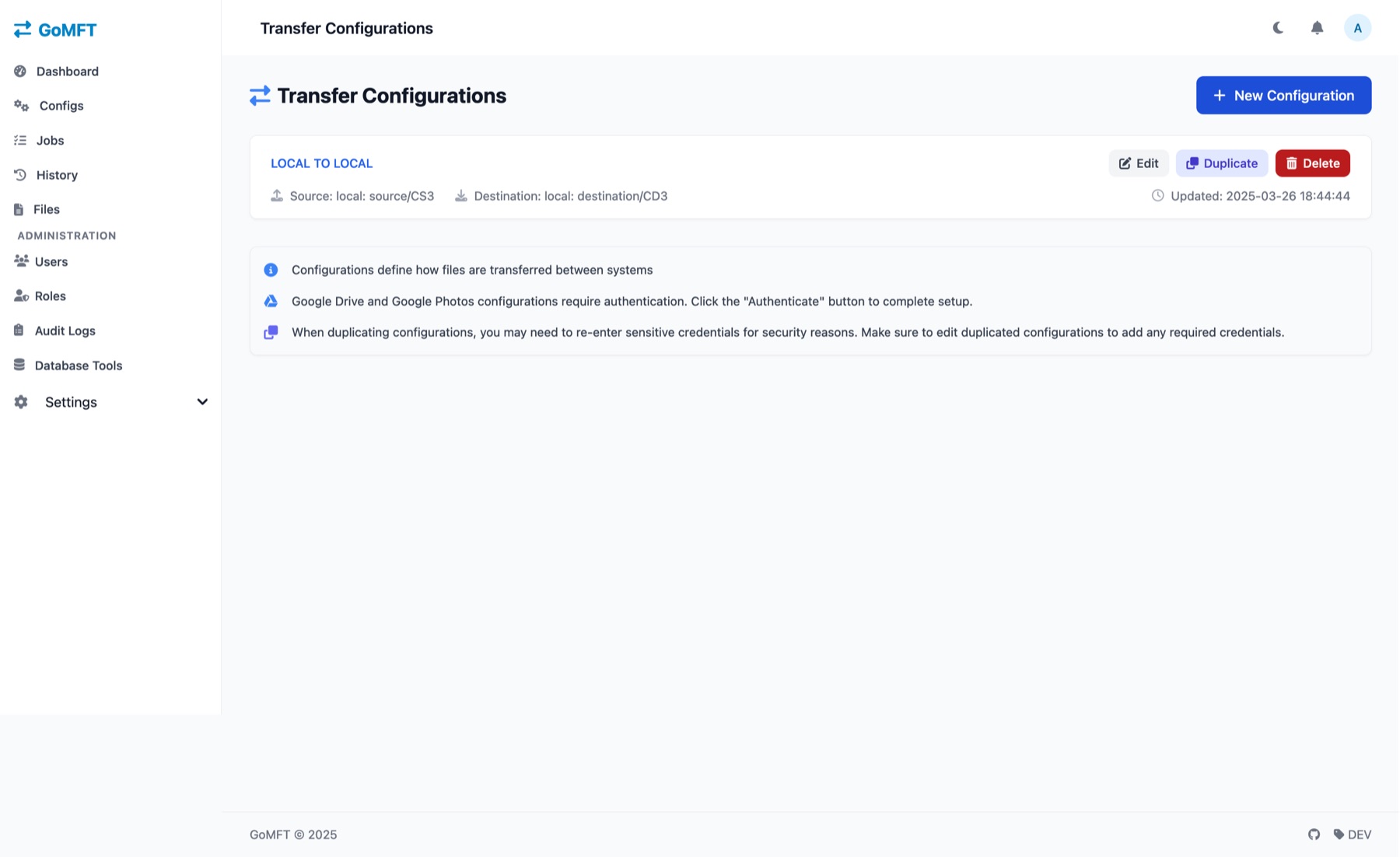
GoMFT Transfer Configurations page listing one configuration with its source and destination, plus Edit, Duplicate and Delete buttons.
Transfer configs. A configuration with its source and destination (both local in this demo). A note says Google Drive and Google Photos configs need an Authenticate step.

Monitoring

Monitor every run

The dashboard counts active, completed and failed transfers. Every run is kept in a searchable history, and each one has a details page with timing, volume and the configuration it used.

  • Real-time monitoring, detailed logs and performance metrics
  • Search run history by job name or status
  • Per-run start and end time, duration, data and files transferred
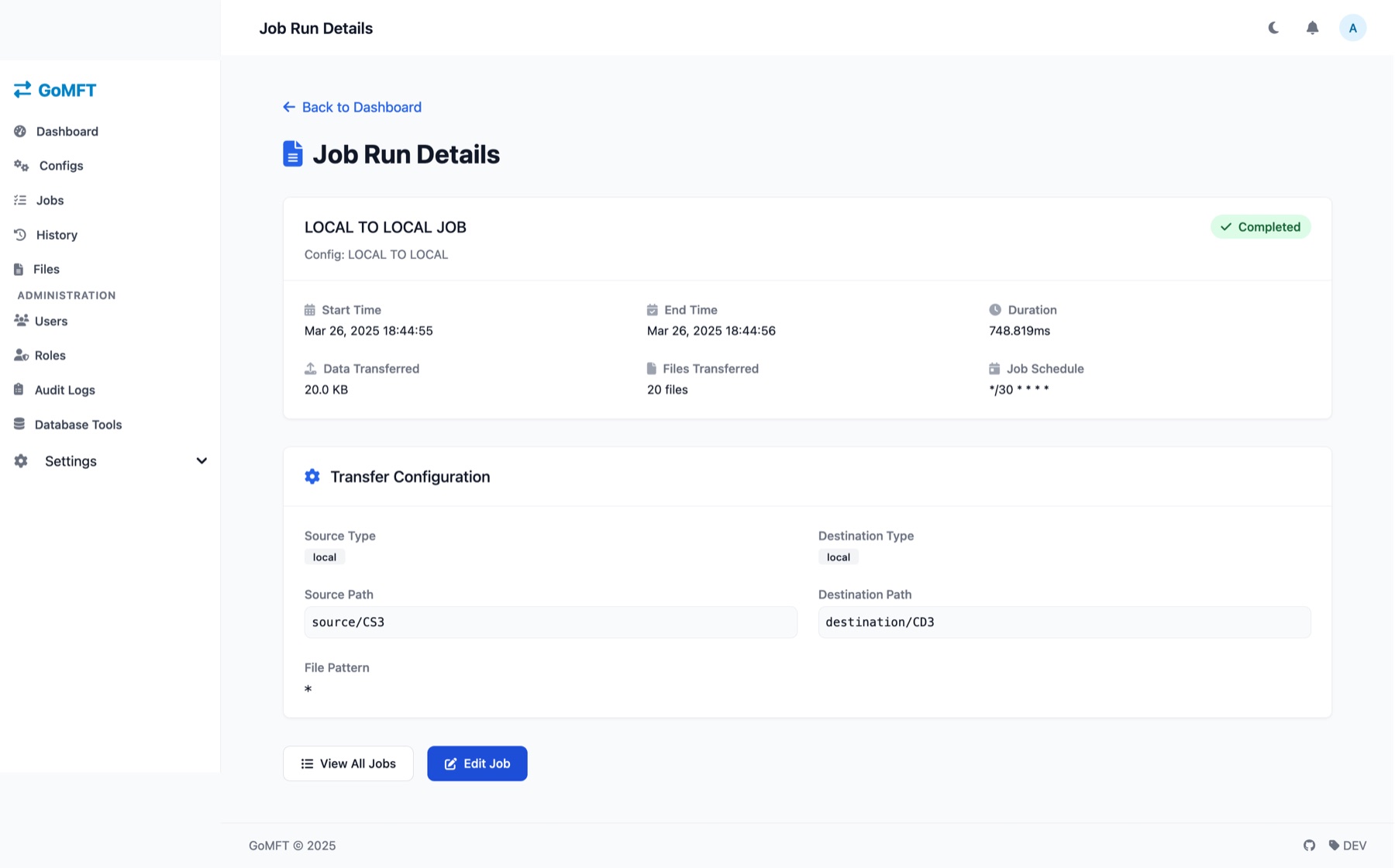
GoMFT Job Run Details page with status Completed, start and end time, duration, data and files transferred, and the transfer configuration paths and file pattern.
Run details. One completed run: start and end time, duration (748.819ms), 20.0 KB in 20 files, the job schedule, source and destination paths and the file pattern.
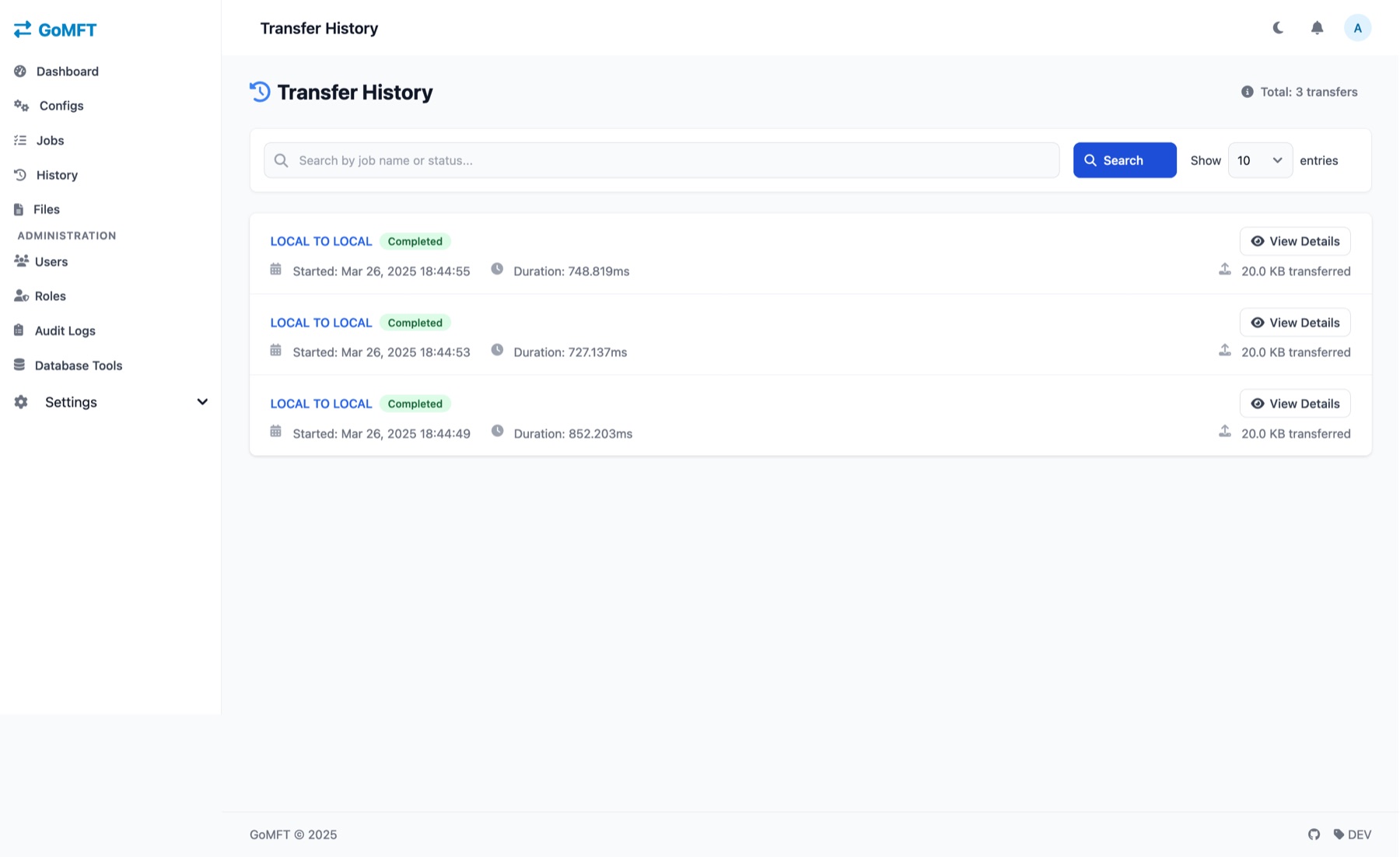
GoMFT Transfer History page with a search box and three completed runs, each with start time, duration and data transferred.
Transfer history. A searchable list of runs with a status badge, start time, duration and amount transferred, plus a View Details button for each.

File metadata

File metadata and compliance history

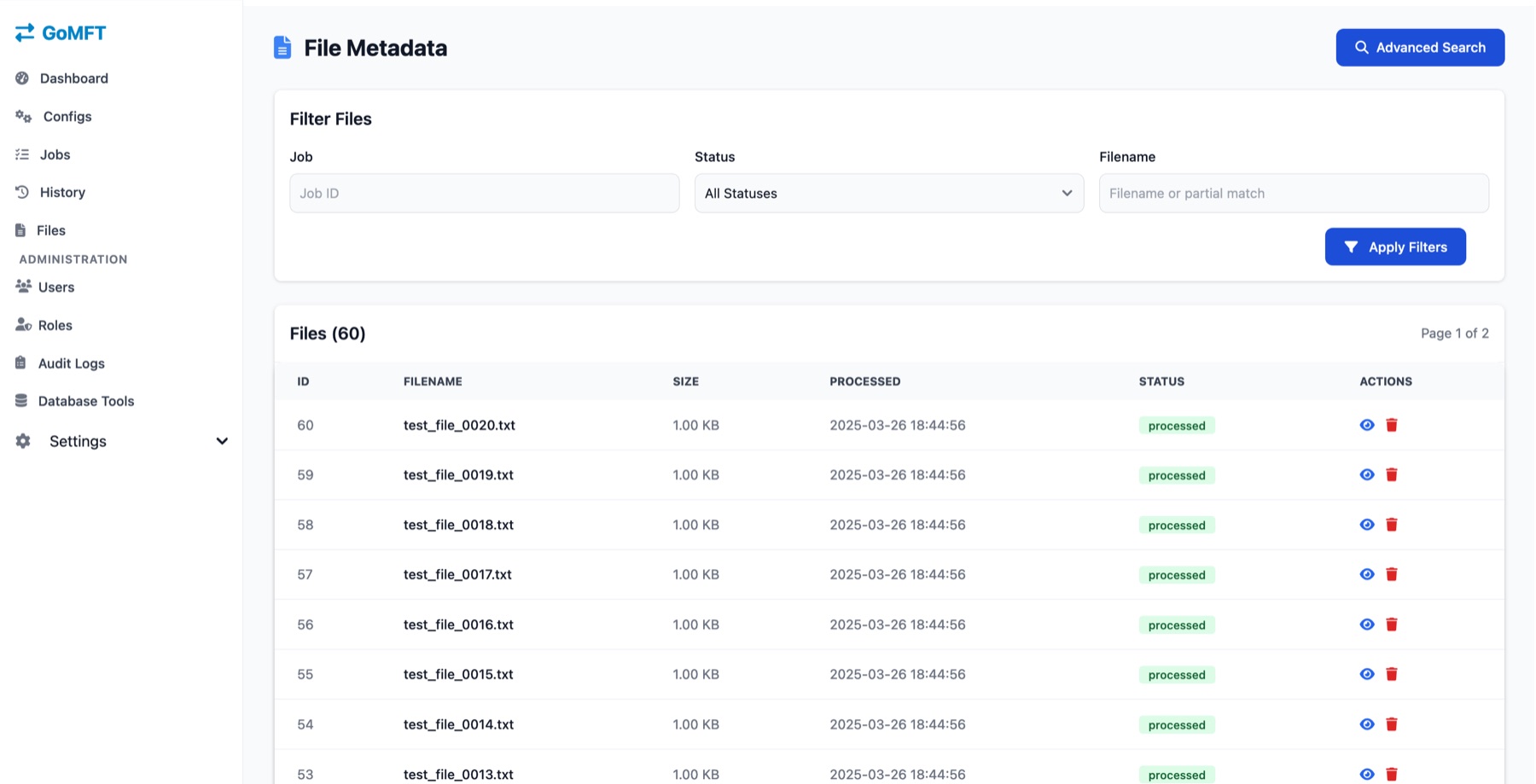
GoMFT records each processed file. Filter the list by job, status or filename, then open a file to see its hash, paths, status and timestamps.

  • File metadata tracking with search and filters
  • A per-file record with size, hash, original and destination path
  • Compliance history you can look back through
GoMFT File Metadata page with filters for job, status and filename, and a table of 60 files showing ID, filename, size, processed time and status.
File list. Filters for job, status and filename above a table of 60 files with ID, size, processed time and a processed status.
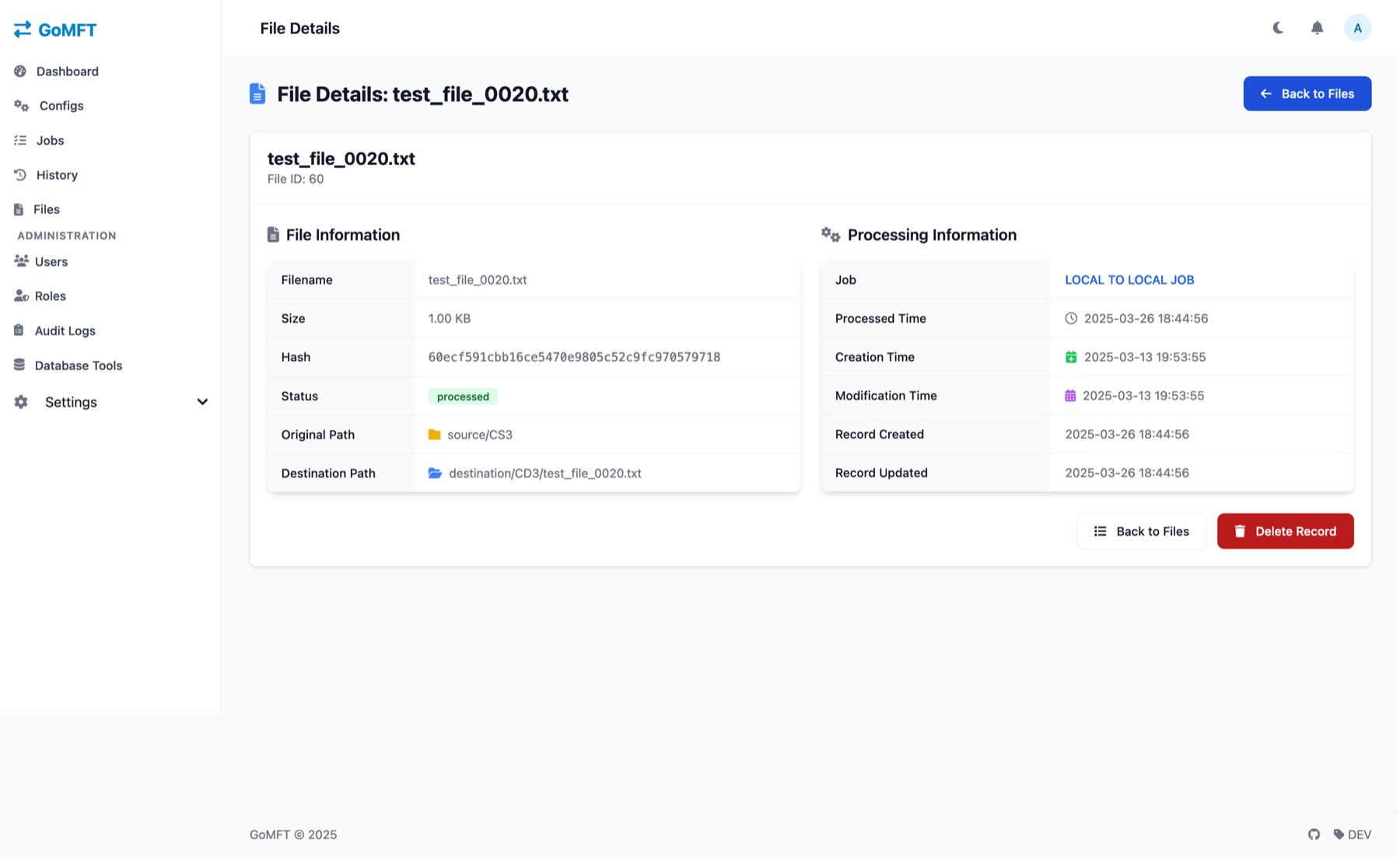
GoMFT File Details page showing filename, size, hash, status, original and destination path, the job that processed it, and its timestamps.
File details. One file: size, hash, status, original and destination path, the job that processed it, and processed, creation and modification times.

Notifications

Hear about it, wherever you are

Add notification services for job events such as completion, errors or a job starting. Message text uses templates with variables.

  • Email (SMTP), webhooks signed with HMAC-SHA256, Pushbullet, Ntfy.sh, Gotify and Pushover
  • Template messages with variables
  • An in-app inbox with mark as read
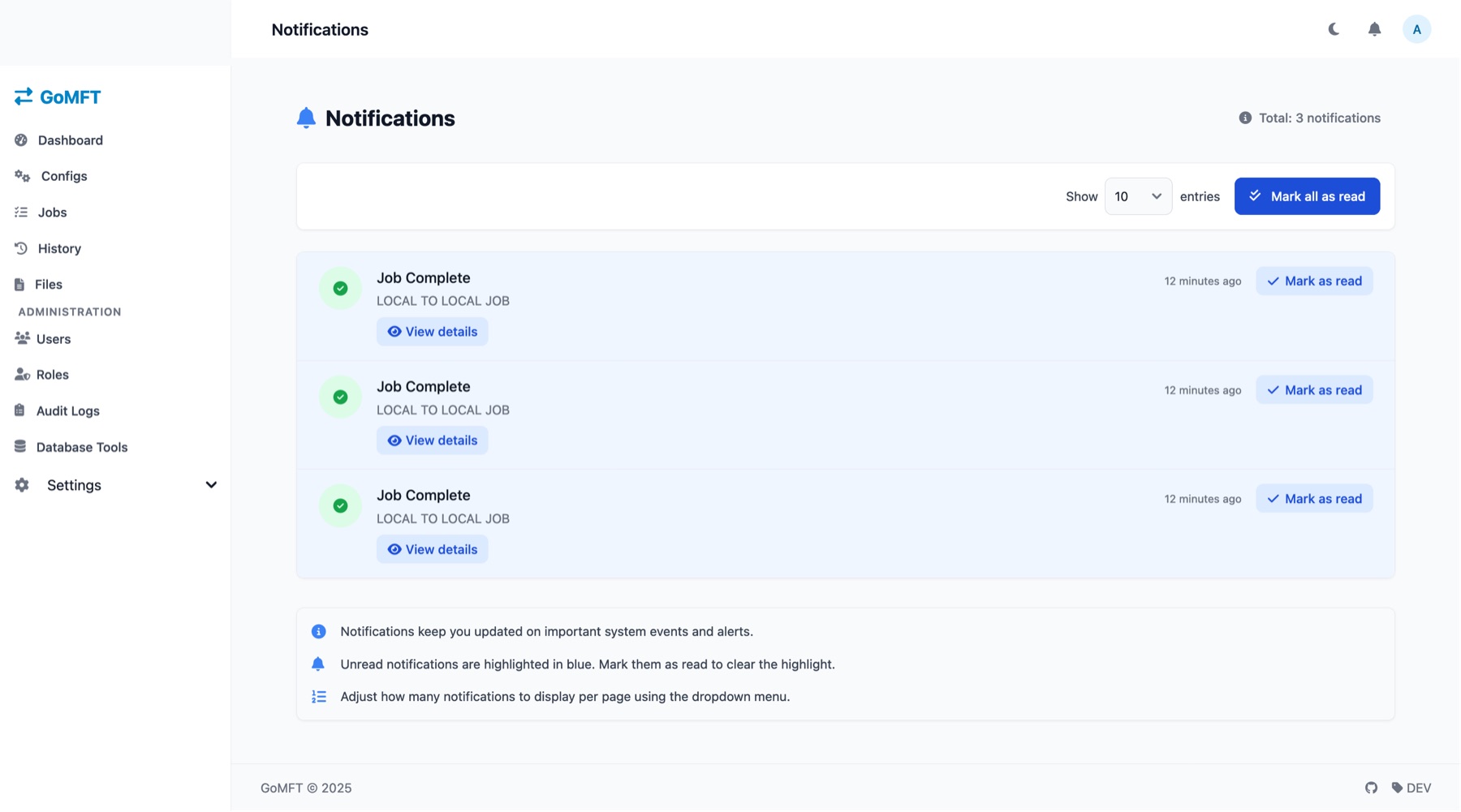
GoMFT Notifications page with three unread Job Complete notifications, each with Mark as read and View details, and a Mark all as read button.
Inbox. Three unread Job Complete notifications highlighted in blue, with Mark as read, View details and Mark all as read.
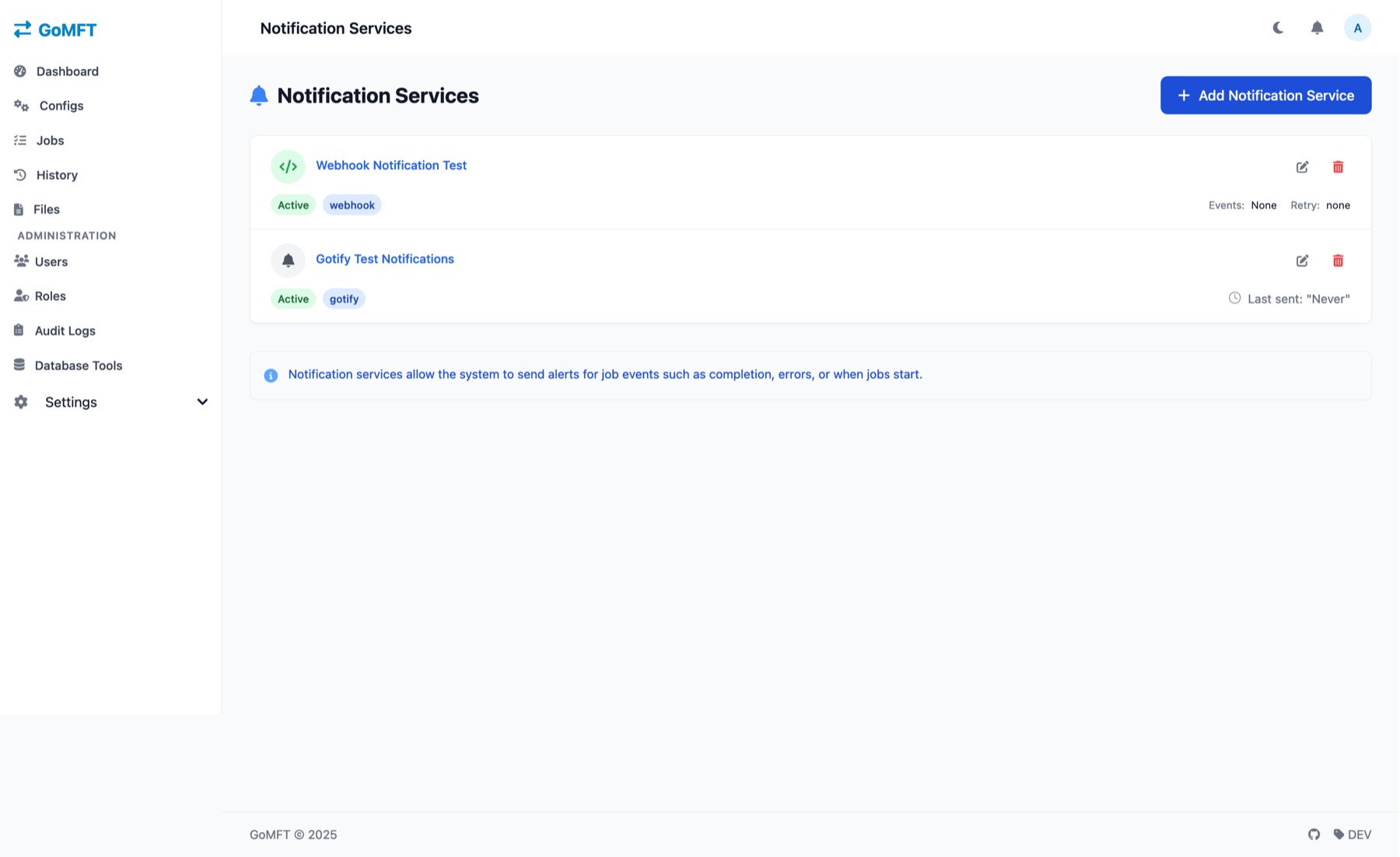
GoMFT Notification Services page listing a webhook service and a Gotify service, both Active, with an Add Notification Service button.
Notification services. Two configured services in this demo, a webhook and a Gotify one, both Active, and an Add Notification Service button.

Access and SSO

Sign-in and permissions you control

Let people sign in with email and password or an external identity provider, then decide what each role can do. Admins manage users, and anyone can recover their own password.

  • Email and password, Authentik SSO, OIDC and OAuth2 (Google, GitHub and more)
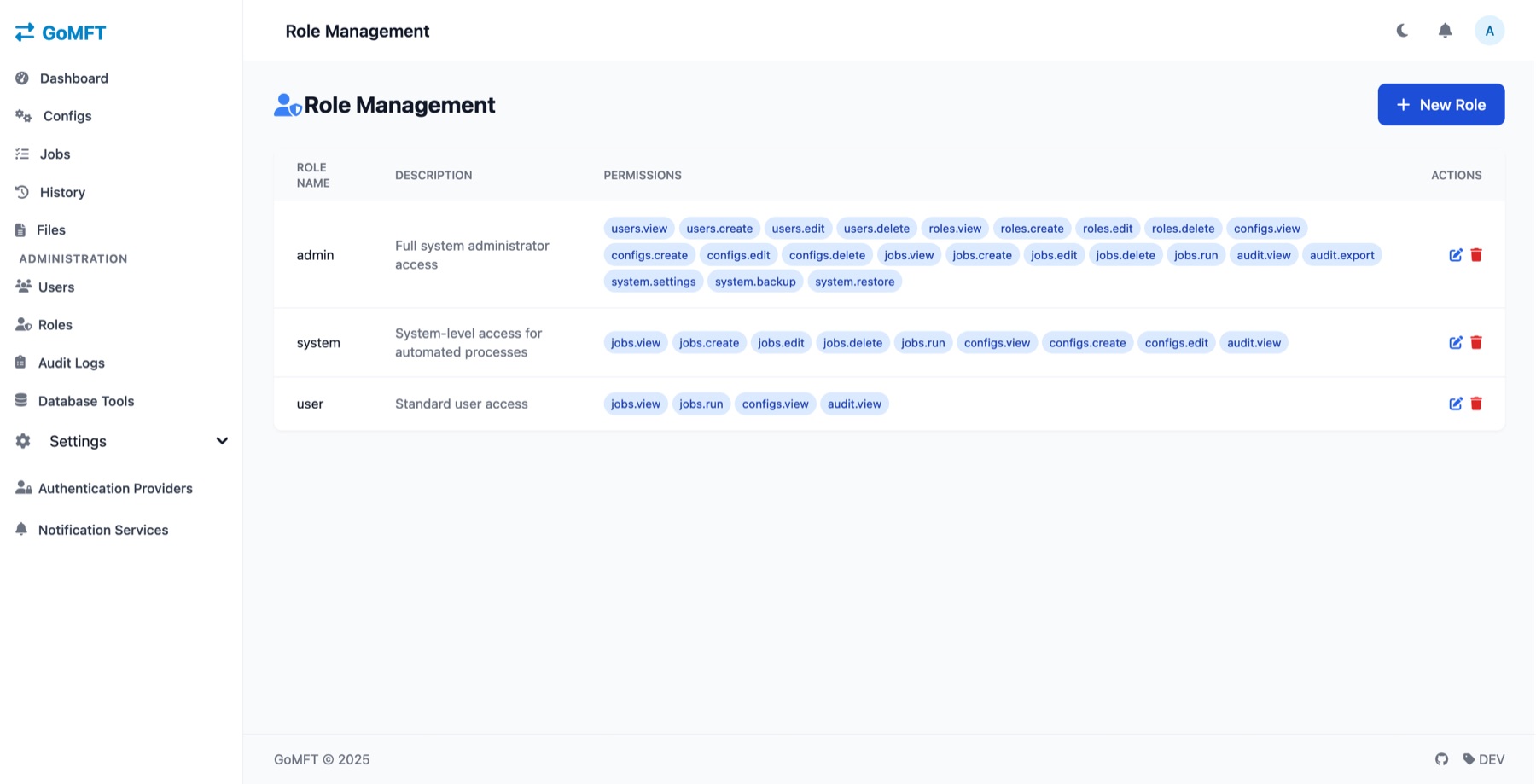
  • Role-based access control with per-permission roles
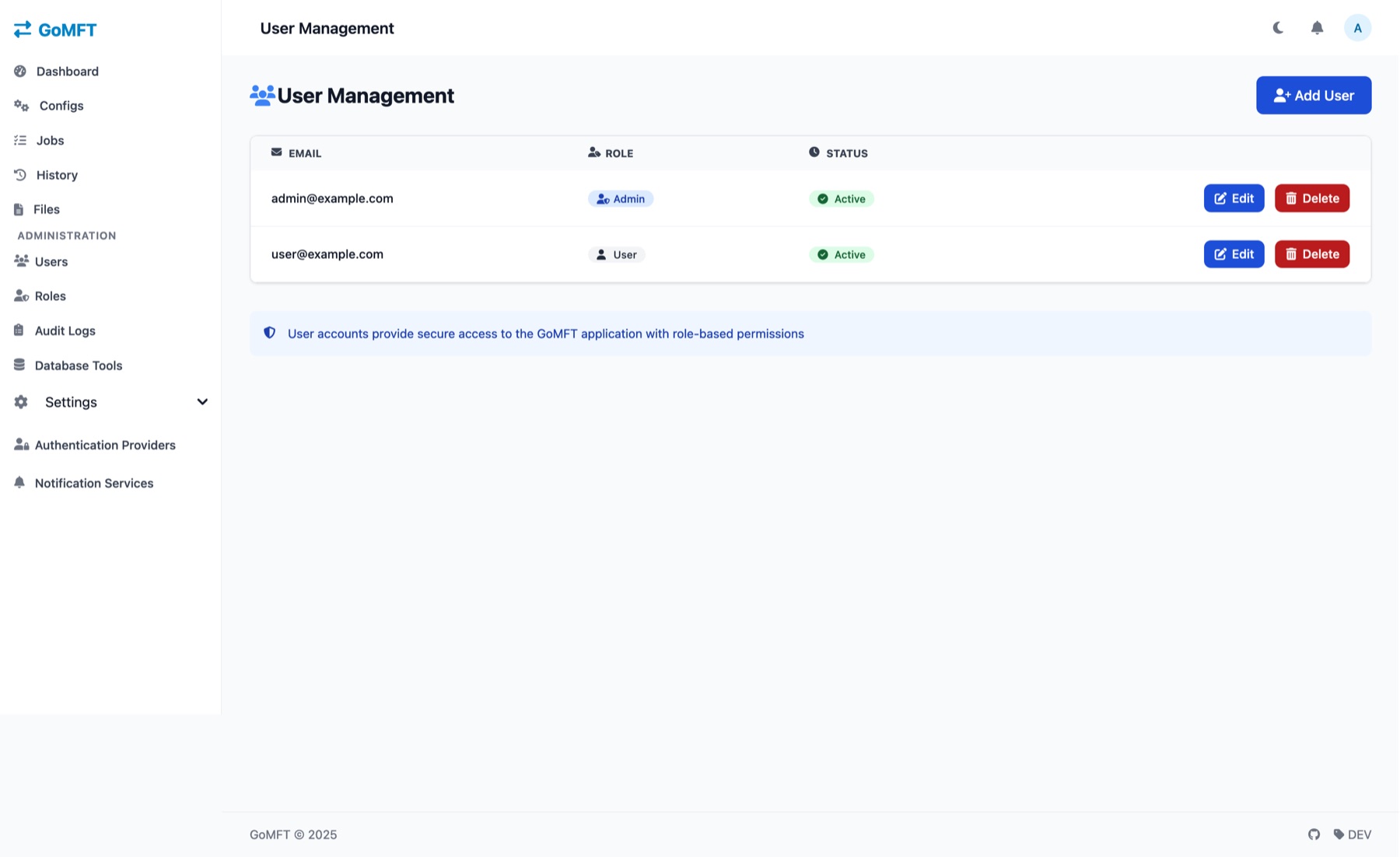
  • Admin user management and self-service password recovery
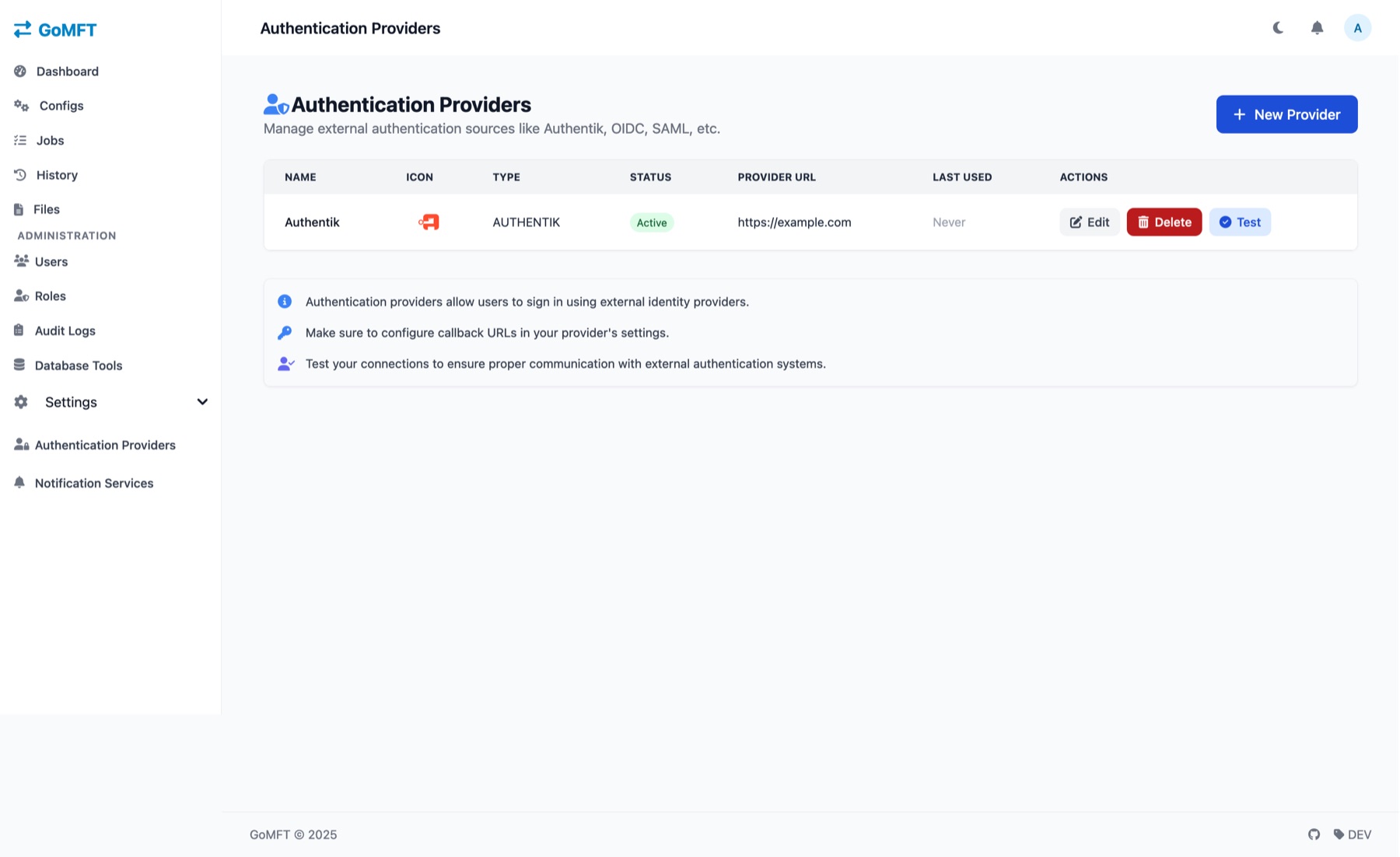
GoMFT Authentication Providers page with one Authentik provider marked Active, and Edit, Delete and Test buttons.
Providers. An Authentik provider marked Active with Edit, Delete and Test buttons, and a New Provider button.
GoMFT Role Management page listing the admin, system and user roles with their permission tags such as users.view and jobs.run.
Roles. Three roles (admin, system, user), each with permission tags such as users.view, jobs.run and audit.view.
GoMFT User Management page with an Admin and a User account, both Active, and an Add User button.
Users. Two sample accounts, one Admin and one User, both Active, with Edit, Delete and Add User.

Admin tools

Admin tools for the day-two jobs

Review who did what, then keep the SQLite database healthy. Back it up, restore it, optimize it, or export your configs and jobs.

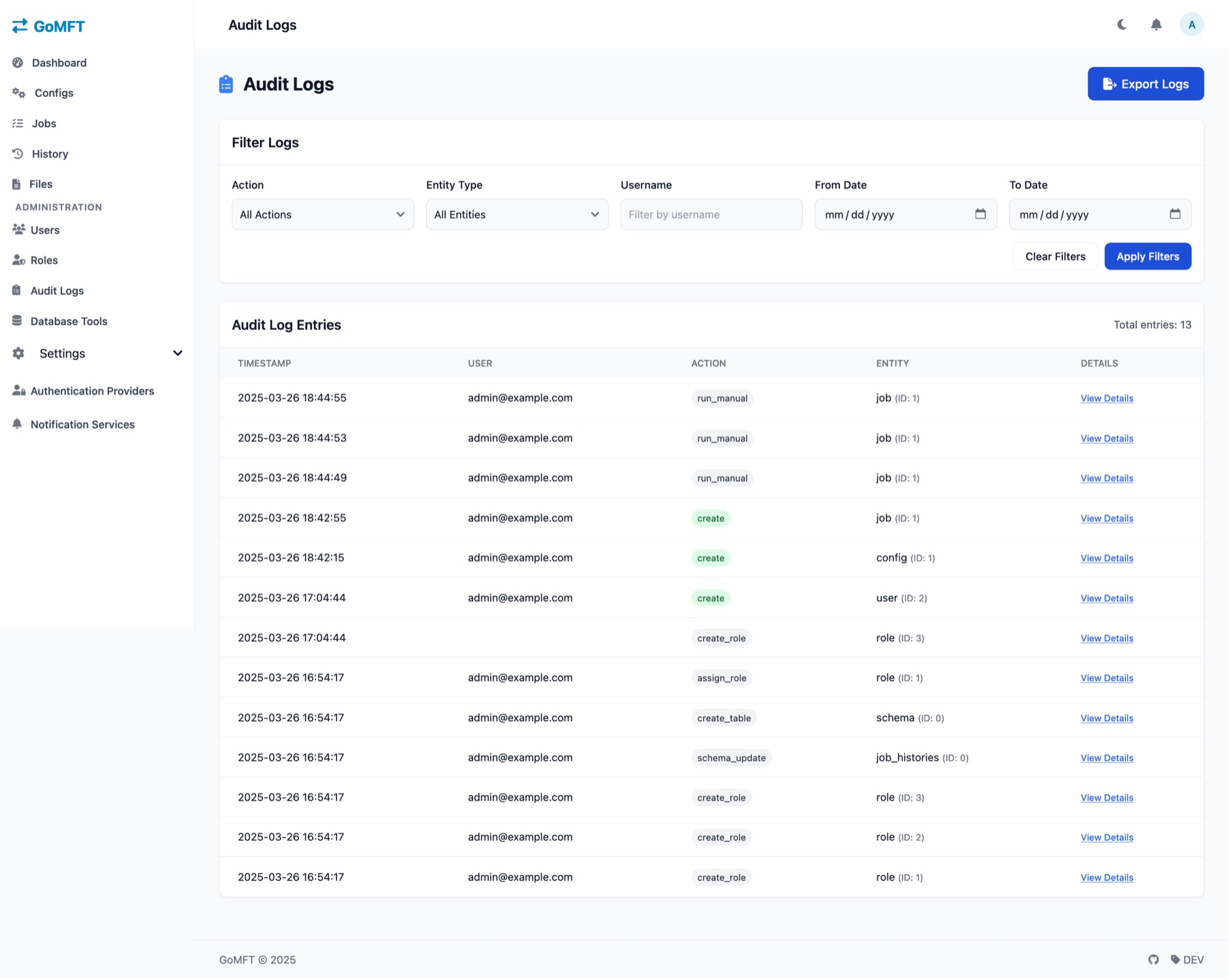
  • Audit log with filters and export
  • Live log viewer and system stats
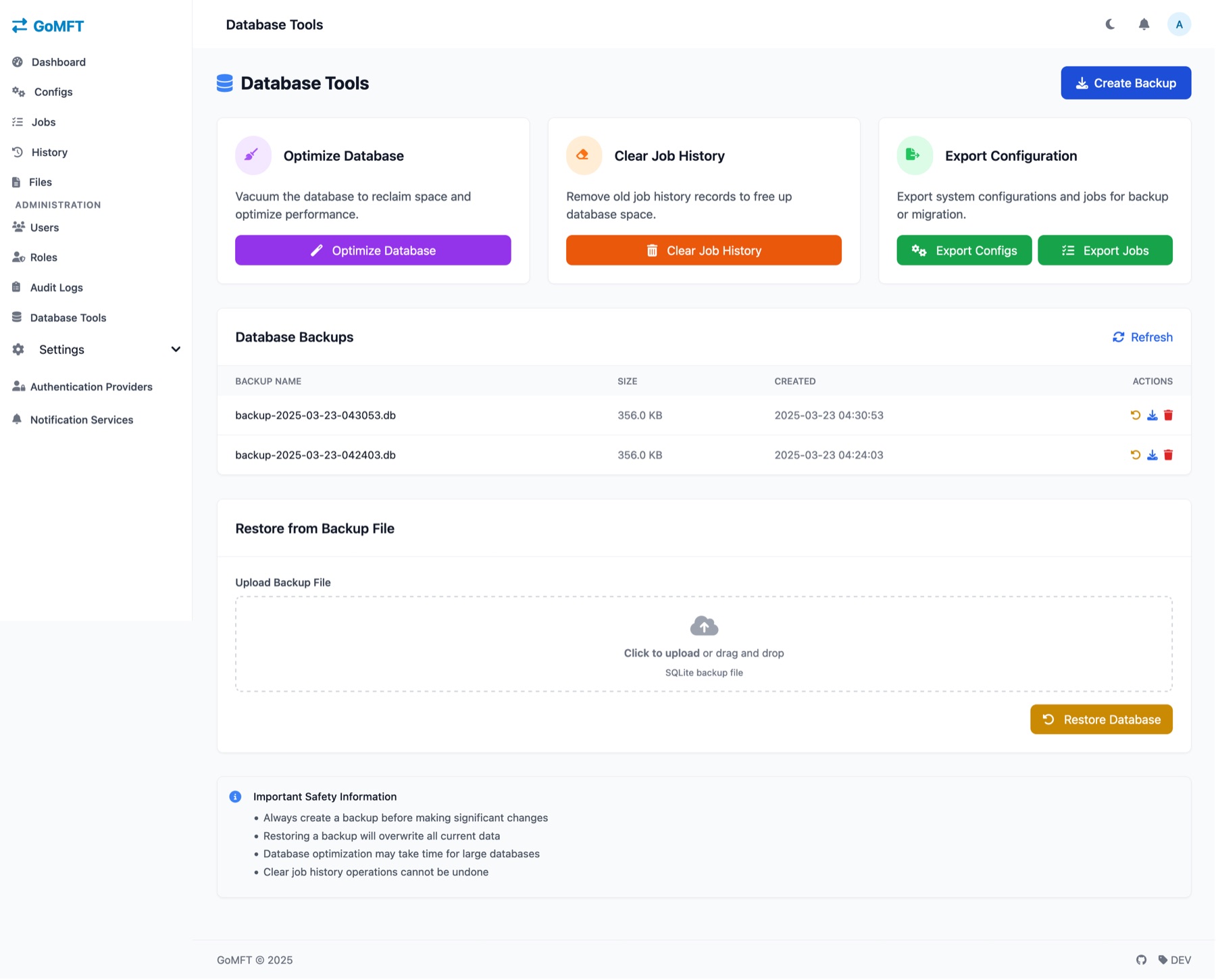
  • Database backup and restore, database maintenance and webhook docs
GoMFT Audit Logs page with filters for action, entity type, username and date range, and a table of 13 log entries.
Audit logs. Filters for action, entity type, username and dates above 13 entries such as run_manual and create_role, with an Export Logs button.
GoMFT Database Tools page with Optimize Database, Clear Job History and Export Configuration cards, a list of backups, and a Restore from Backup File upload area.
Database tools. Create Backup, Optimize Database, Clear Job History, export of configs and jobs, a backup list, and Restore from a SQLite backup file.

Details

And a lot more

The smaller things that fill out a file transfer tool.

30+ storage providers

Google Drive, S3, MinIO, NextCloud, WebDAV, SFTP, FTP, SMB and more, through rclone.

Cron scheduling

Write a cron expression or use the visual schedule builder.

Real-time monitoring

Watch transfers live, with detailed logs and performance metrics.

Concurrent threads

Run 1 to 32 threads per job.

File pattern matching

Choose which files a job transfers.

Dynamic output names

Put date variables in output file names.

Archive after transfer

Archive files once they have been transferred.

File metadata tracking

Search, filter and review compliance history.

Role-based access

Control what each user can view, create, edit and run.

User management

Admin user management and self-service password recovery.

SSO and OAuth2

Authentik SSO, OIDC, and OAuth2 such as Google and GitHub.

TOTP two-factor

Authenticator codes, with backup codes.

Six notification channels

Email (SMTP), webhooks, Pushbullet, Ntfy.sh, Gotify and Pushover.

Live log viewer

Admin log viewer and system stats.

Database tools

Backup, restore and maintain the SQLite database.

Light and dark mode

A responsive HTMX interface with a dashboard.

Self-host

Up and running with one command

GoMFT deploys with Docker, Docker Compose, or as a Go binary you build yourself.

  1. Run Docker

    Start the container with the command below. Point the two volumes at folders on your machine.

  2. Open :8080 and log in

    Go to http://localhost:8080 and sign in with the default account. Change the password right away.

  3. Add a remote and schedule a job

    Create a transfer configuration for your source and destination, then add a job with a cron schedule.

Docker

Replace /path/to/data and /path/to/backups with real folders.

shell
docker run -d --name gomft -p 8080:8080 \
  -v /path/to/data:/app/data -v /path/to/backups:/app/backups \
  starfleetcptn/gomft:latest

Docker Compose

Save this as compose.yaml, set a real secret, then run docker compose up -d.

compose.yaml
services:
  gomft:
    image: starfleetcptn/gomft:latest
    ports:
      - "8080:8080"
    volumes:
      - ./data:/app/data
      - ./backups:/app/backups
    environment:
      - JWT_SECRET=replace-with-a-long-random-string

Go binary

Build it from source with a Go toolchain. Check the docs for run options and any extra build steps.

shell
git clone https://github.com/StarFleetCPTN/GoMFT.git
cd GoMFT
go mod download
go build -o gomft
Archived project. The GoMFT repository was archived (read-only) on 2025-09-21. The latest release is v0.2.11. You can still run, fork and modify it under the MIT license, but do not expect new upstream releases. View the repository.

Security

Sign-in and access, built in

GoMFT is a small web app: a browser, a Go server, rclone, and a SQLite database next to it.

Browser Light and dark UI GoMFT server Go + Gin Templ + HTMX + Tailwind rclone 30+ providers Remotes Drive, S3, SFTP… SQLite + GORM HTTP runs sync Browser Light and dark UI GoMFT server Go + Gin Templ + HTMX + Tailwind rclone 30+ providers Remotes Drive, S3, SFTP… SQLite + GORM HTTP runs sync
Stack: Go with Gin, Templ, HTMX and Tailwind, SQLite with GORM, JWT sessions, and rclone for the transfers.

TOTP two-factor

Authenticator codes plus backup codes. Needs a 32-byte TOTP_ENCRYPTION_KEY.

SSO with Authentik

Let people sign in through your identity provider.

OIDC and OAuth2

OpenID Connect, or OAuth2 with providers such as Google and GitHub.

JWT sessions

Signed sessions. Production needs a JWT_SECRET.

Account lockout

Repeated failed sign-ins lock the account. Password history is kept too.

HMAC-signed webhooks

Webhook notifications are signed with HMAC-SHA256.

Role-based access

Roles carry permissions such as jobs.run and users.view.

Audit logs

Filter who did what and when, and export the log.

The repository is archived, so do not expect security fixes from upstream. Review the code before you expose an instance to the internet.

Compare

GoMFT vs. what you do today

rclone does the heavy lifting in all three. Here is what GoMFT adds around it.

CapabilityGoMFTrclone CLI + cronHand-written scripts
Web dashboard for jobs and runsYesNoYou build it
30+ storage providers through rcloneYesYesDepends
Cron schedules with a visual builderYesNoYou build it
Run history, logs and metrics in a UIYesNoYou build it
File metadata search and compliance historyYesNoYou build it
Email, webhook and push notificationsYesNoYou build it
Role-based access, SSO and 2FAYesNoYou build it
Audit log of user actionsYesNoYou build it
Database backup and restore toolsYesNoYou build it
Runs without a database serverYes, SQLiteYesDepends

“rclone CLI + cron” means just those two tools, with nothing added on top. GoMFT’s repository is archived, so weigh that against the features above. If one scheduled copy is all you need, rclone and cron may be enough.

Before you start

Questions, answered

Is GoMFT free?

Yes. It is open source under the MIT license, so you can use, change and share it. There is no paid plan, which is why this page has no pricing section.

Is it still maintained?Archived

No. The GitHub repository was archived (read-only) on 2025-09-21, and the latest release is v0.2.11. Upstream will not get new releases or fixes. You can still run it, and because it is MIT licensed you can fork it. If you need repeatable deployments, build from source or keep your own copy of the Docker image.

Which storage providers work?

GoMFT uses rclone, so it supports 30+ providers, including Google Drive, S3, MinIO, NextCloud, WebDAV, SFTP, FTP and SMB.

Does it need a database server?

No. GoMFT stores its data in SQLite (through GORM), so there is no separate database to run. Mount the data and backups folders as volumes, as in the install command, so they survive restarts.

What is the default password?

The default login is admin@example.com with the password admin. Change it immediately. For production, set JWT_SECRET. For two-factor authentication, set TOTP_ENCRYPTION_KEY to a 32-byte key.

Can I use SSO?

Yes. GoMFT supports Authentik SSO, OIDC and OAuth2 (Google, GitHub and others), alongside email and password. TOTP two-factor authentication with backup codes is available too.

Is this the official GoMFT website?

No. This is an unofficial community showcase page and is not run by the GoMFT authors. For the source, releases and docs, use the GitHub repository and the official docs.

The GoMFT gopher mascot holding a folder

Run your own file transfers.

Open source under the MIT license. Pull the Docker image, or read the code on GitHub first.

About this site: contact@gomft.space